Chart of accounts
Where: Accounting → Masters → Chart of Accounts.
The chart of accounts is the list of every account in your books. NextGenManager comes with a standard chart already in place, so you can start posting straight away and add accounts as you need them.
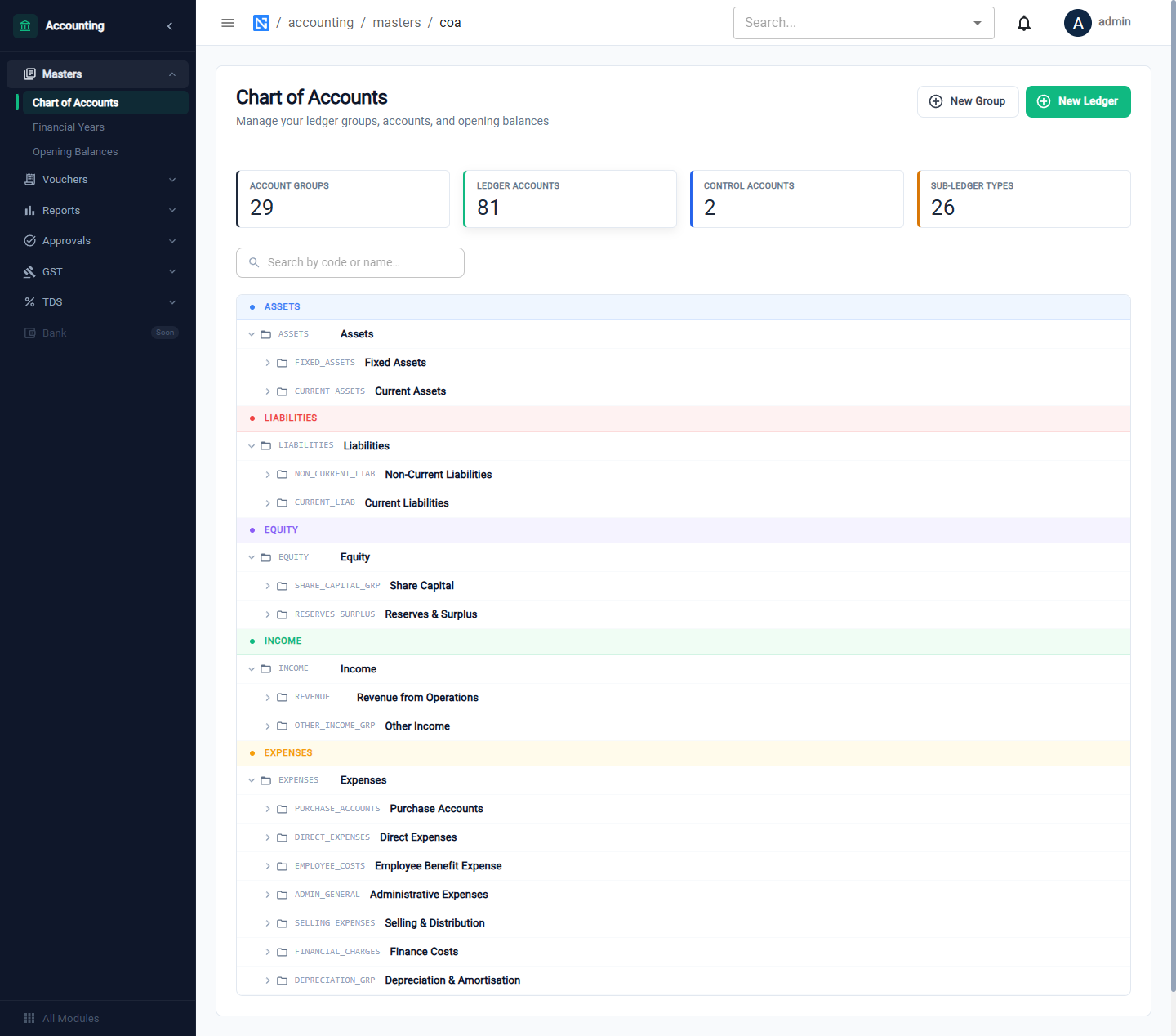
The tiles count Account Groups, Ledger Accounts, Control Accounts and Sub-ledger Types. The tree is arranged under Assets, Liabilities, Equity, Income and Expenses. Click an arrow to open a group, or use the search box to find an account by code or name.
Groups, ledgers and control accounts
| Kind | What it is |
|---|---|
| Group | A heading that gathers accounts, such as Current Assets |
| Ledger | An account you post to, such as Bank Account - Primary |
| Control account | A ledger whose balance is made up of one account per party. There are two: Sundry Debtors (customers) and Sundry Creditors (vendors) |
Each customer and vendor has its own account under the control account. You never post to Sundry Debtors as a whole; you post to the customer.
Accounts the system uses
These accounts are posted to automatically by purchase, stock, production and sales documents.
| Code | Account | Used for |
|---|---|---|
| 2010 | Raw Material Stock | Purchased stock |
| 2011 | Work-in-Progress Stock | Material issued to work orders |
| 2012 | Finished Goods Stock | Output of work orders |
| 3010 | Sundry Debtors | Customers (control account) |
| 4010 | Cash in Hand | |
| 4011 | Bank Account - Primary | |
| 6020, 6021, 6022 | Input CGST, SGST, IGST | GST on purchases |
| 6030 | GR/IR Clearing | Goods received, not yet invoiced |
| 8010 | Sundry Creditors | Vendors (control account) |
| 9010, 9011, 9012 | Output CGST, SGST, IGST | GST on sales |
| 9015 | TDS Payable | Tax deducted, not yet deposited |
| 4010I | Sales - Domestic | |
| 5010E | Purchases - Raw Material | |
| 5020E | Cost of Goods Sold | |
| 3022E | Opening Balance Equity | The other side of opening stock |
What posts where shows the entry behind each document.
Add a group or a ledger
Click New Group to add a heading or New Ledger to add an account you can post to, fill in the short form and save. Each row also has Edit and Delete.
Keep the system accounts listed above as they are. Add your own ledgers beside them — for example more bank accounts or expense heads.