GST
Where: Accounting → GST.
The GST screens are built from the documents you have already posted: tax invoices and credit notes on the sales side, vendor invoices and debit notes on the purchase side. There is nothing to enter here — choose the month, check the figures, export and file.
Every screen has a Financial Year, a Period (the month) and a Load button.
Outward and inward registers
Outward Register lists the month's tax invoices and credit notes — the source of GSTR-1.
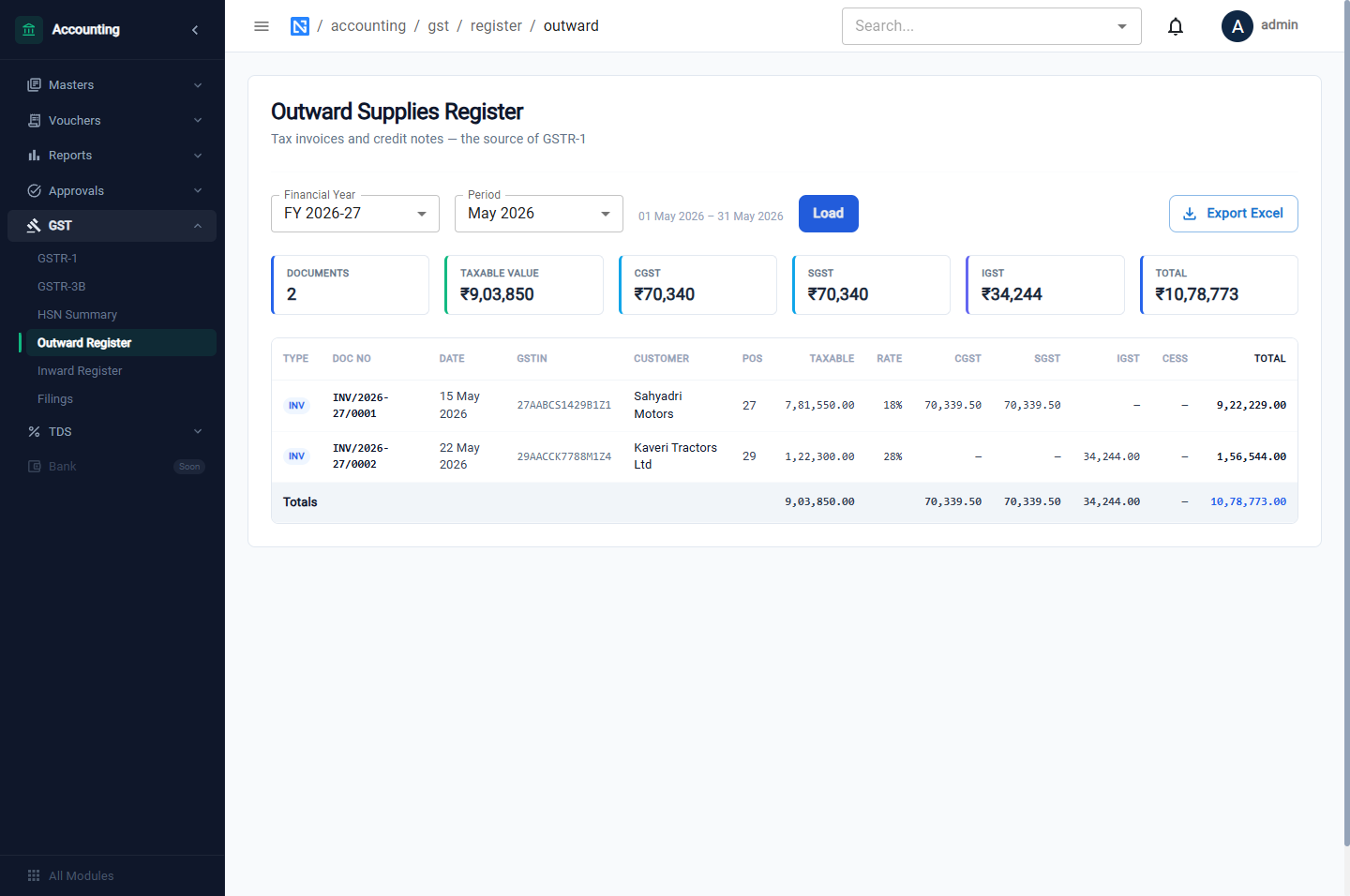
Inward Register lists vendor bills and debit notes with the input tax on each — the source of your input tax credit.
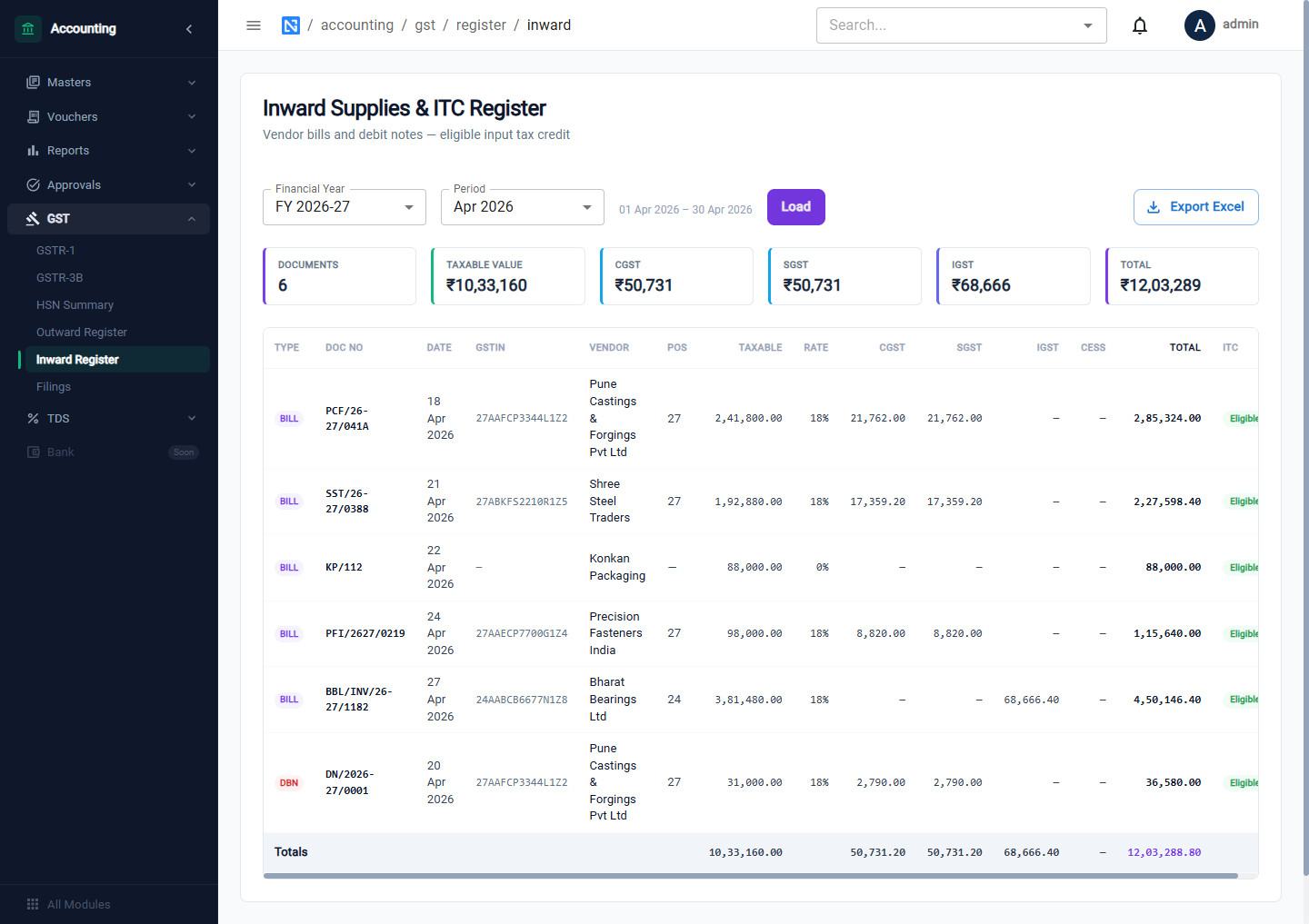
Both have Export Excel.
HSN Summary
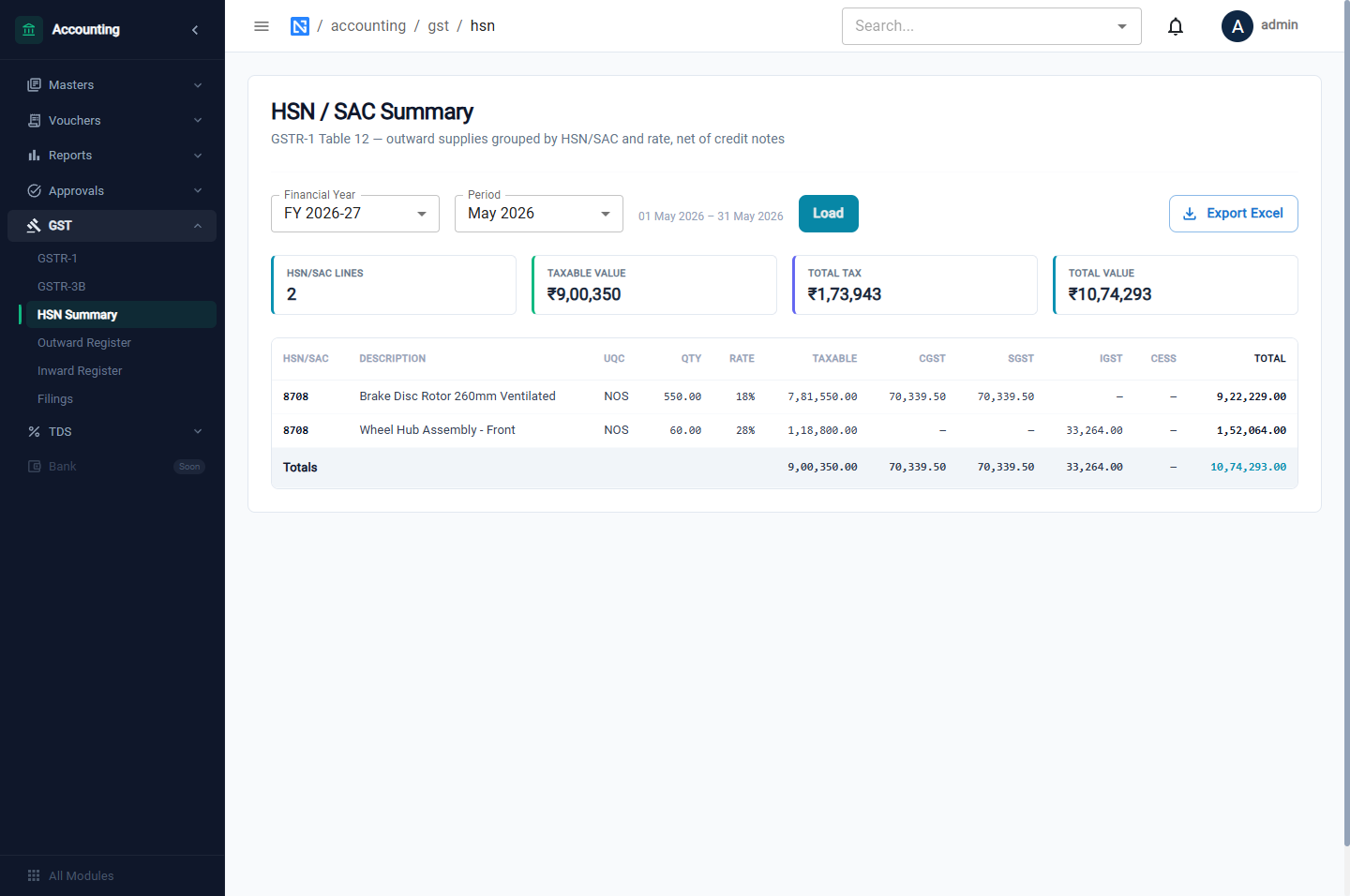
Outward supplies grouped by HSN/SAC code and tax rate, net of credit notes: quantity, taxable value and tax. This is Table 12 of GSTR-1.
GSTR-1
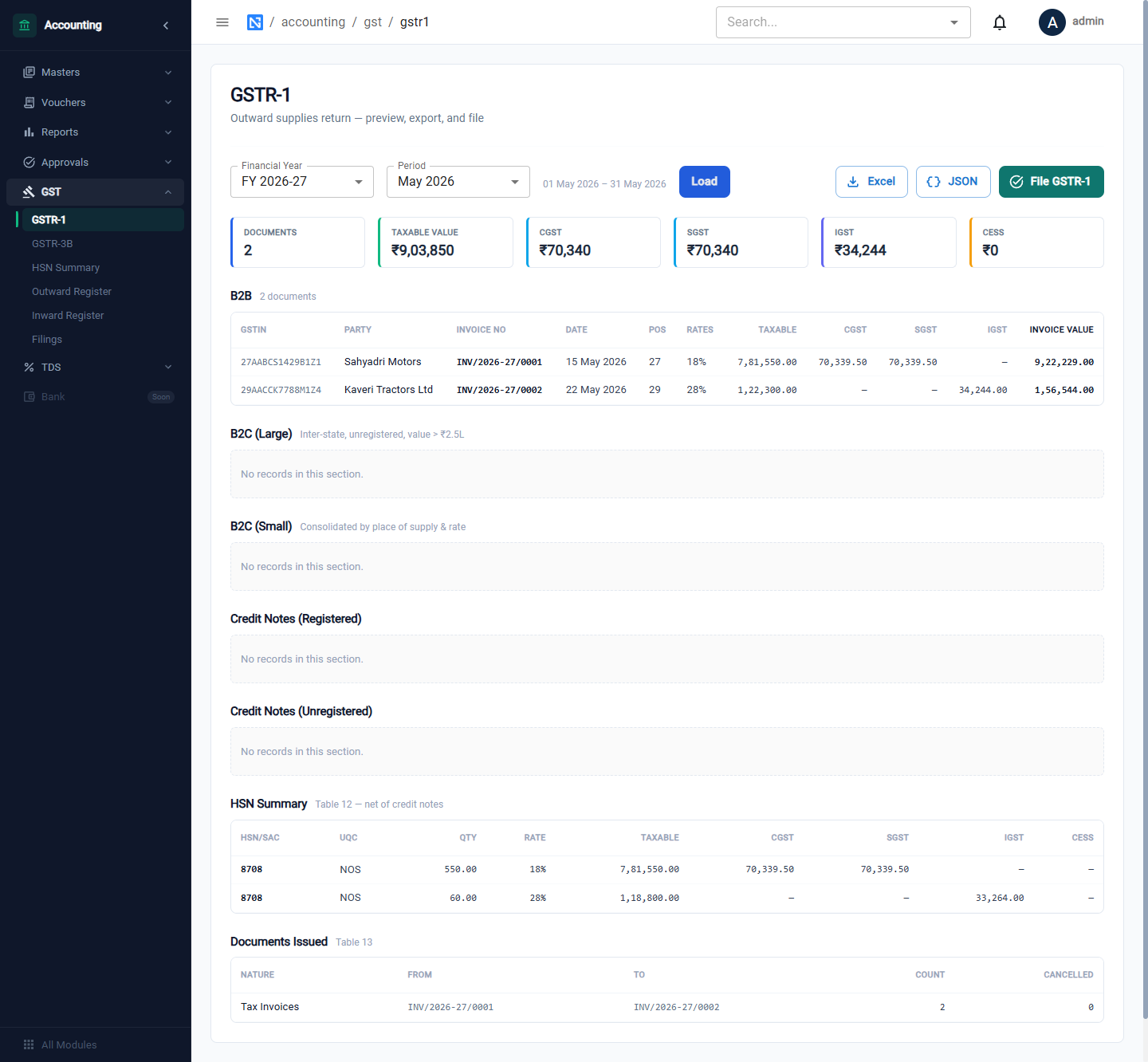
The cards total the month: Documents, Taxable Value, CGST, SGST, IGST and Cess. Below are the sections of the return:
| Section | Contents |
|---|---|
| B2B | Invoices to registered customers |
| B2C (Large) | Inter-state invoices to unregistered customers above the limit |
| B2C (Small) | Other sales to unregistered customers, by place of supply and rate |
| Credit Notes (Registered / Unregistered) | |
| HSN Summary | Table 12 |
| Documents Issued | Table 13: the series of invoice numbers used |
Excel and JSON download the return; File GSTR-1 records it as filed.
GSTR-3B
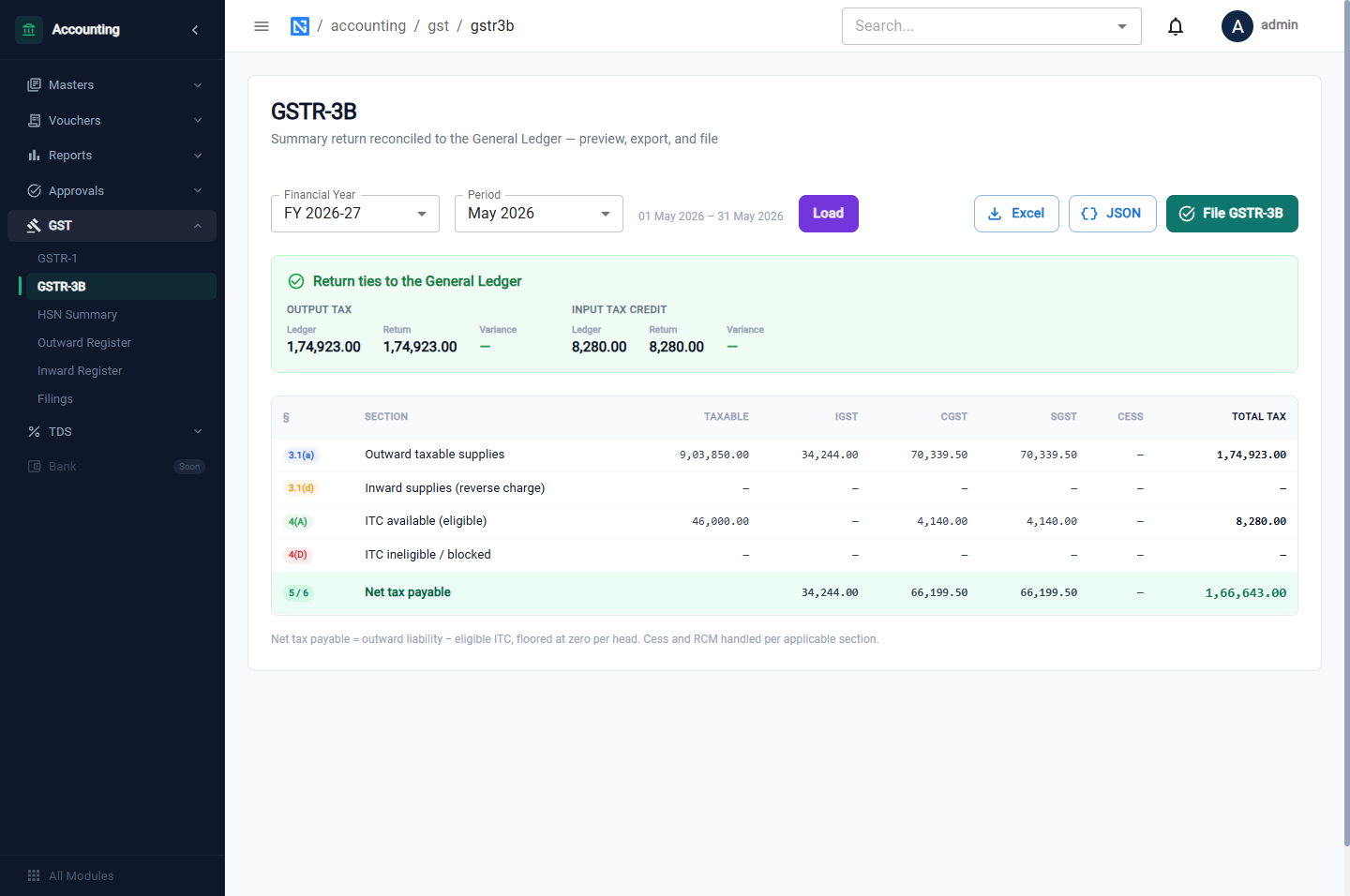
The green panel at the top, Return ties to the General Ledger, compares Output Tax and Input Tax Credit in the return with the balances in the ledger and shows any variance. If the two agree, the return matches your books.
The table follows the form:
| Row | Meaning |
|---|---|
| 3.1(a) | Outward taxable supplies |
| 3.1(d) | Inward supplies liable to reverse charge |
| 4(A) | ITC available |
| 4(D) | ITC ineligible or blocked |
| 5/6 | Net tax payable |
Excel and JSON download it.
File a return
Click File GSTR-3B (or File GSTR-1).
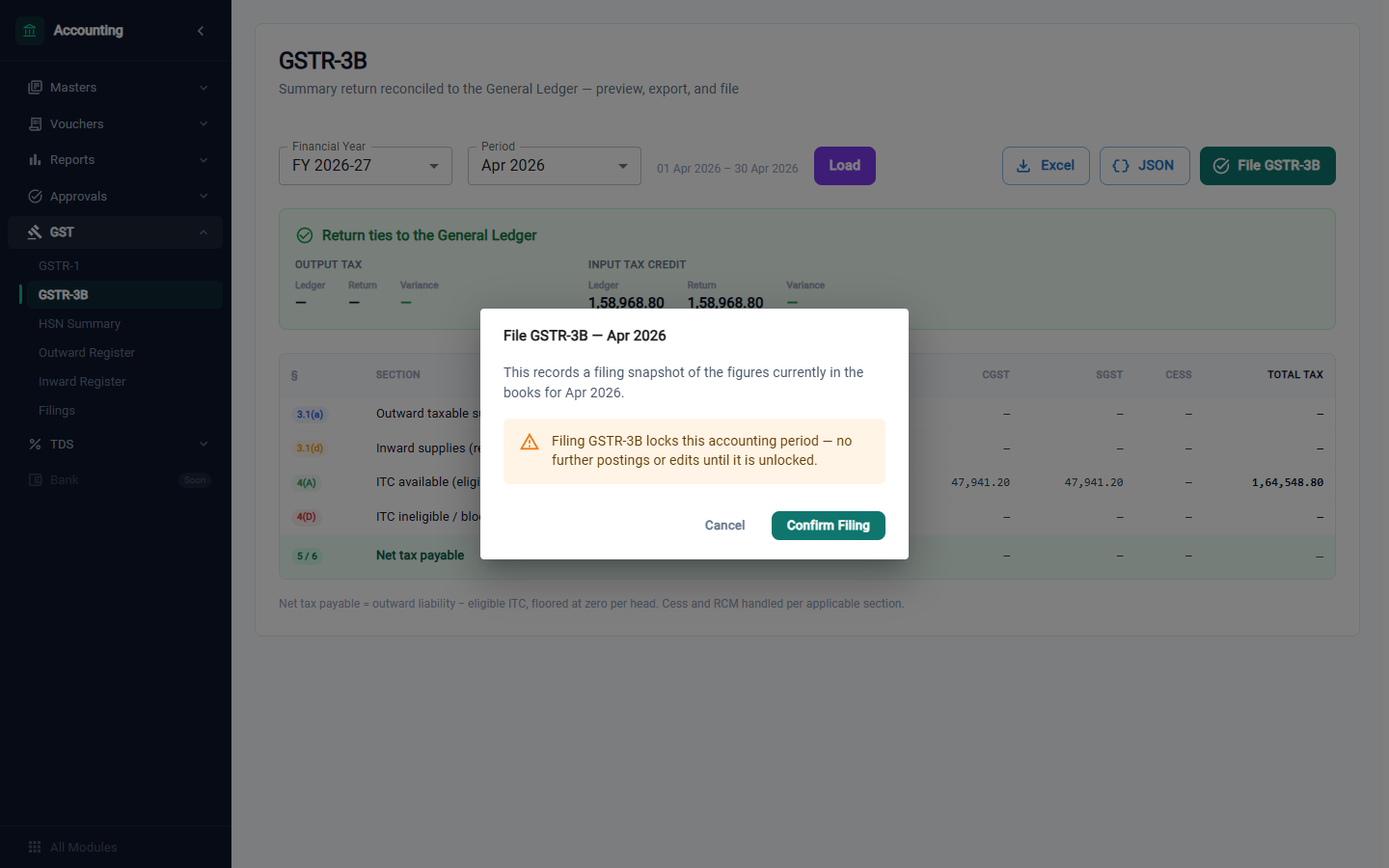
Filing records a filing snapshot of the figures currently in the books for the month, and for GSTR-3B it also locks the accounting period: no more entries can be posted to that month until the period is unlocked under Financial years.
Filing here records the return inside NextGenManager. Upload the exported JSON or Excel on the GST portal to file with the department.
Filings
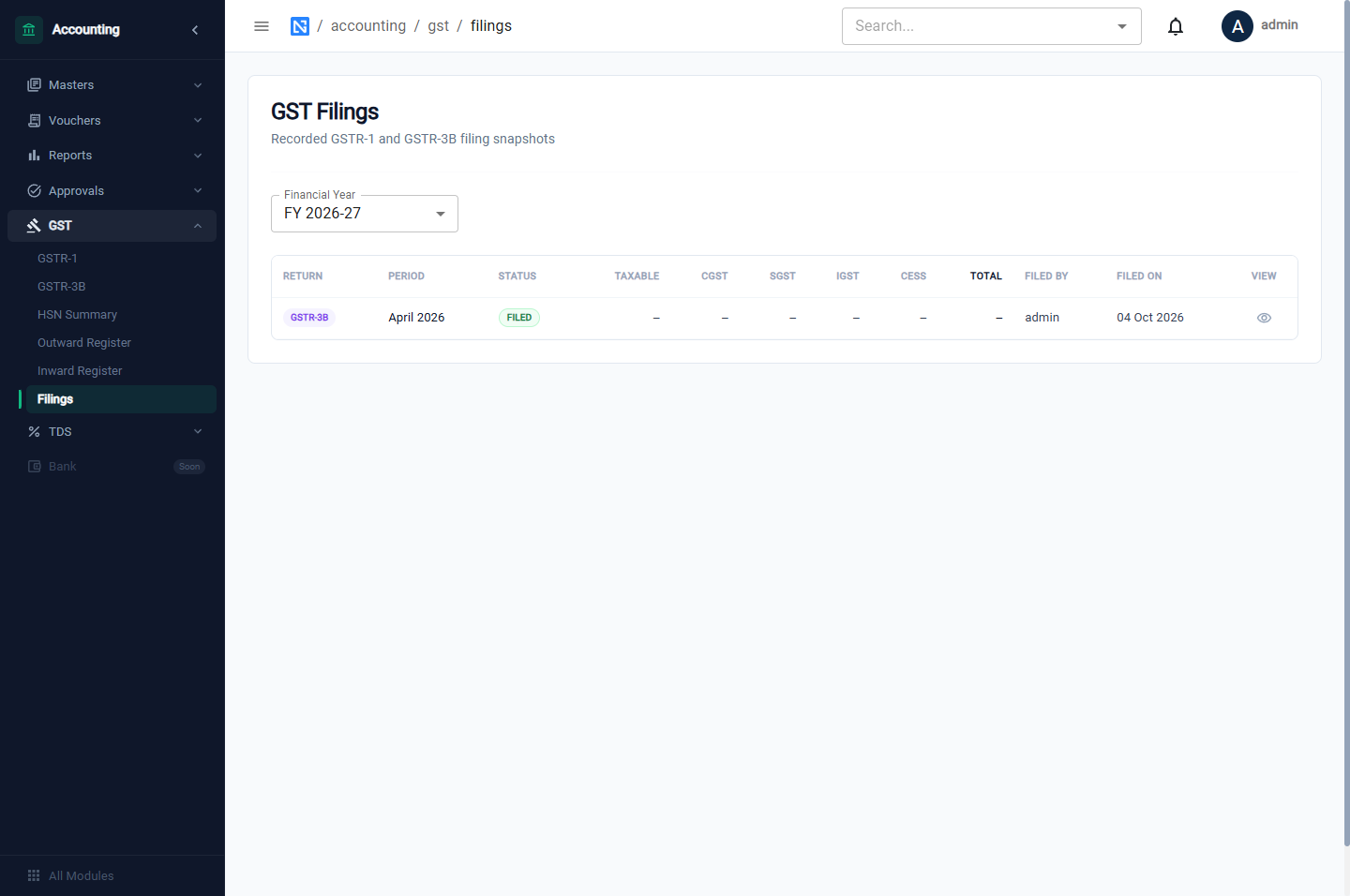
A list of every return recorded: the return, period, status, who filed it and when.
Getting the figures right
- The date of the tax invoice decides the month a sale falls in.
- The date of the vendor's invoice decides the month the input tax falls in.
- The state on the customer or vendor decides between CGST + SGST and IGST.
- The GST Type of a vendor (regular, composition, unregistered) and the GST % on the purchase order lines decide the input tax. Enter 0% for composition and unregistered vendors.