Working with more than one plant
If your company makes goods at more than one site, each site keeps its own stock. A work order run at Plant 2 takes its material from Plant 2's store and puts its finished goods on Plant 2's shelf.
This works through three things you set up once:
| What | Where | Why |
|---|---|---|
| A warehouse for each plant | Inventory → Warehouses | The plant's store |
| Work centers for each plant | Manufacturing → Work Center | Each one names the plant's store |
| The work centre on a work order | Production → Work Orders | Says which plant makes the order |
If you have one site, leave all of this alone. Everything keeps using the default warehouse.
1. Add a warehouse for the plant
Add a warehouse for each plant, with the plant's address. See Warehouses.
2. Tie each work center to its plant
Open the work center (or add one) and choose its Plant / Store.
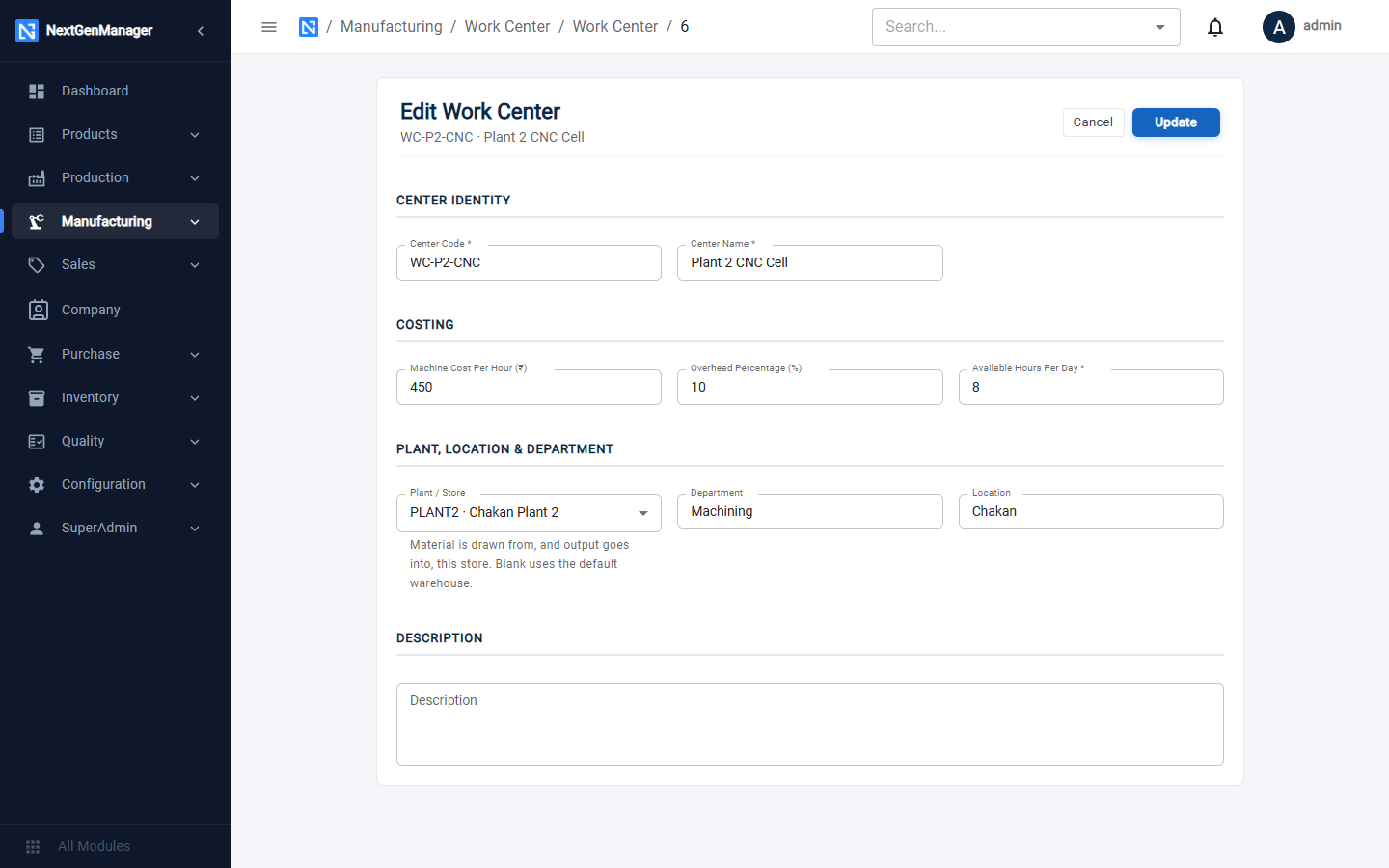
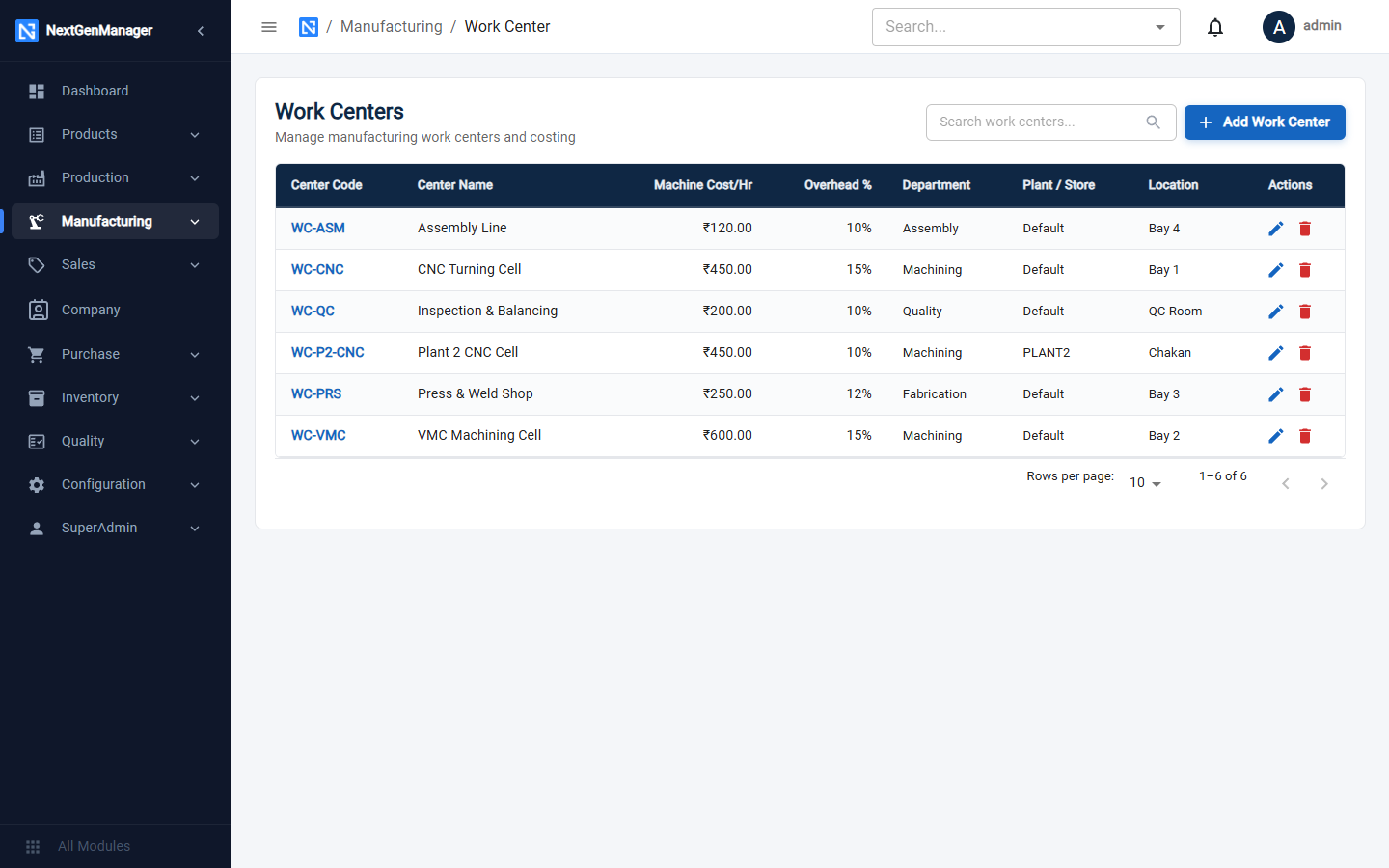
Give each plant its own work centers, for example WC-CNC at the main plant and WC-P2-CNC at
Plant 2. The work center list shows the store beside each one; Default means the default
warehouse.
3. Get material to the plant
A plant can only use material that is in its own store. Either:
- receive the purchase straight into the plant's warehouse — enter its code on the goods receipt, and order it there with Ship To → One of our plants / warehouses on the purchase order; or
- move it from another store with a stock transfer.
4. Make the order at the plant
On a new work order, choose the Work Centre (Plant). The line under the field tells you which store the order will use.
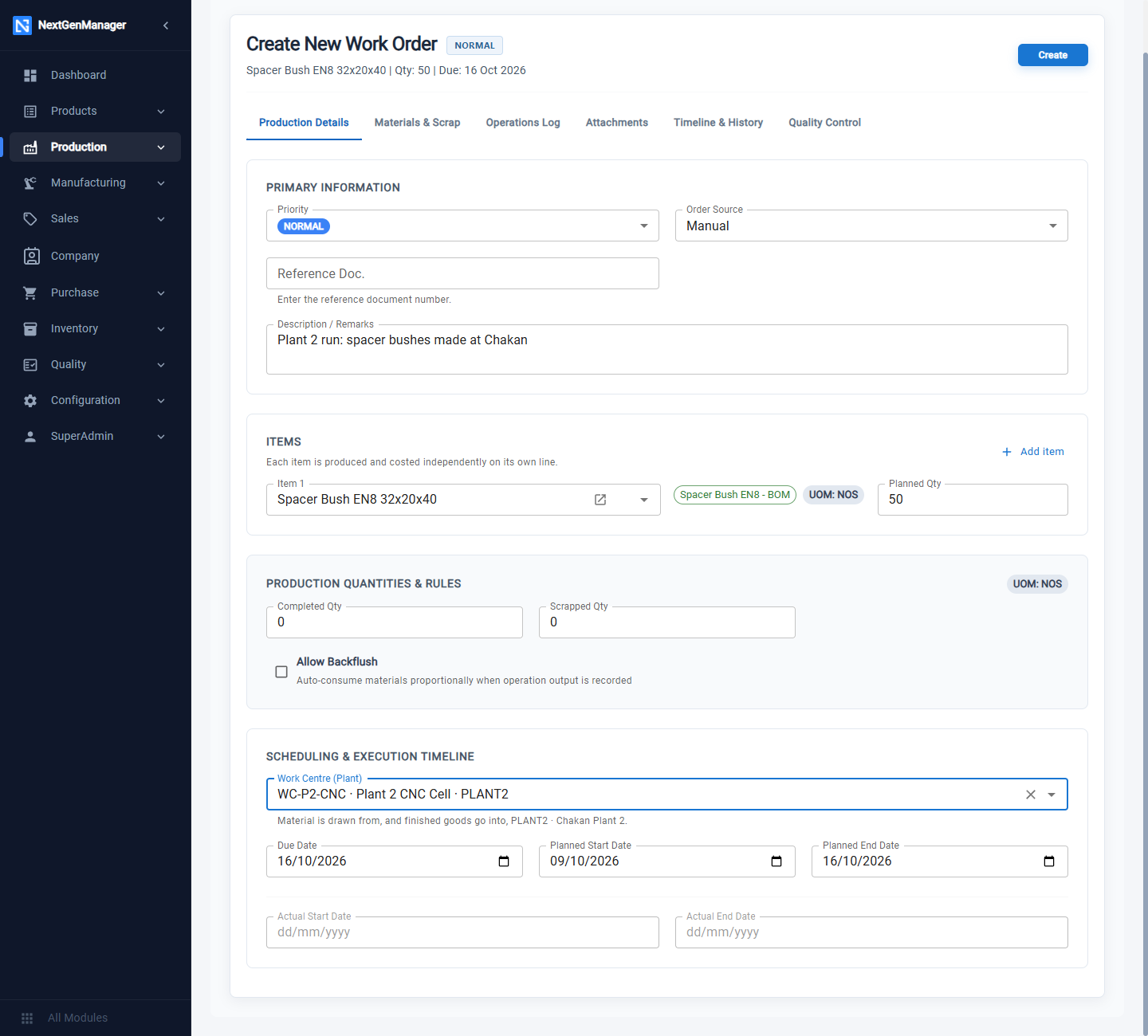
If you leave it blank, the order uses the store of the first operation's work center. The plant can be changed only while the order is CREATED.
From then on every stock movement of the order happens in that store:
| Step | What happens in the plant's store |
|---|---|
| Stores approves the material request | The material is reserved there |
| A batch is recorded on an operation | The material is consumed there |
| Complete WO | The finished goods are booked in there |
| Cancel or Short Close | Unused material is released there |
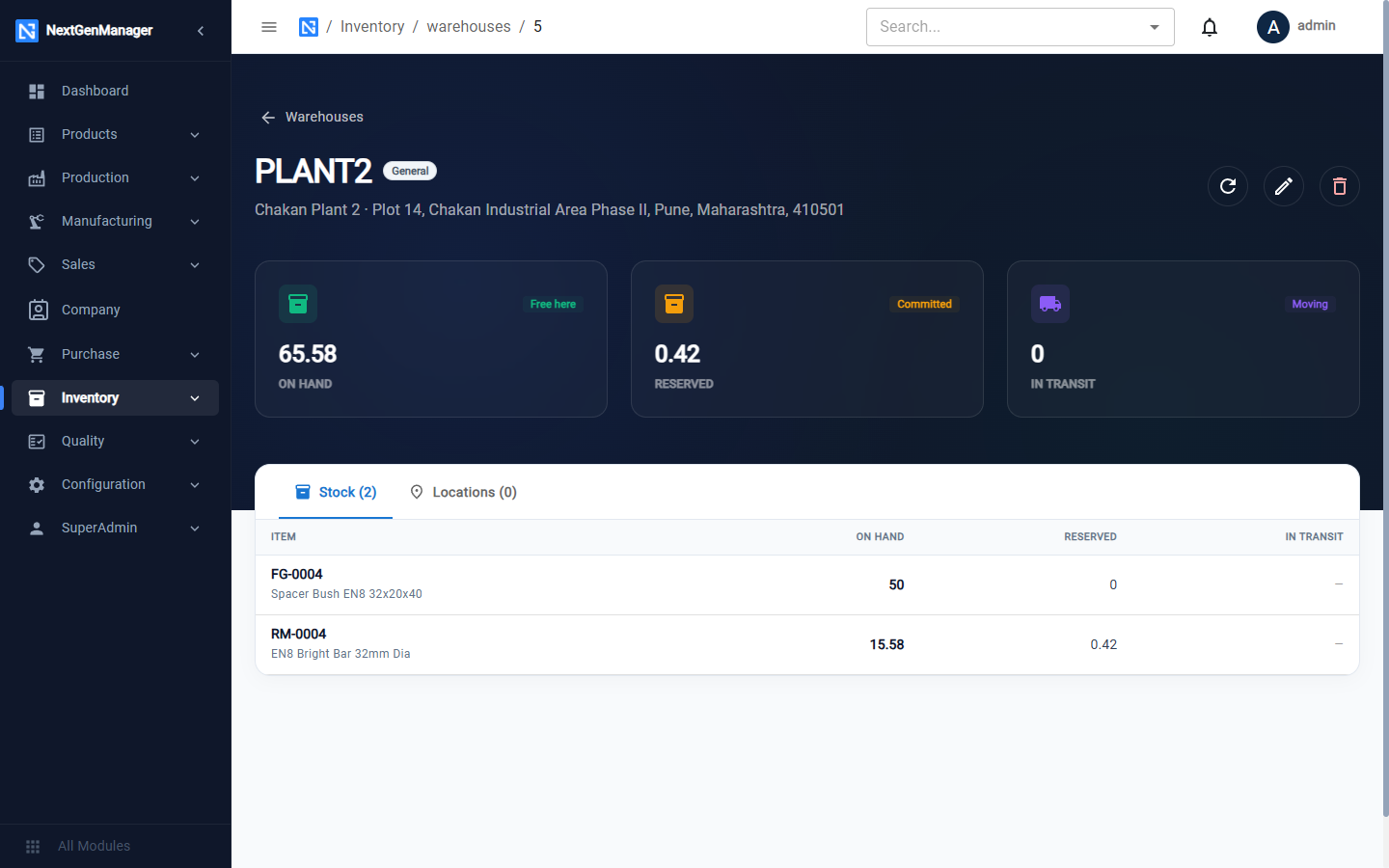
Open the plant's warehouse to see the result.
Good to know
- Keep the plant stocked. The system checks that the company as a whole has enough material, not that the plant does. If the material is sitting in another store, the order still goes ahead and the plant's stock of that item shows a negative figure until you transfer it.
- Do not change a work center's store while it has open work orders. Material reserved in the old store would be used up from the new one.
- Making the same product at two plants. A bill of material has one routing, and the routing names the work centers. Choose the plant on each work order with Work Centre (Plant).
- Sales orders and planning look at the whole company. Reserving stock for a sales order and working out shortages do not look at one plant at a time. Pick lists do: each pick list is for one warehouse.
- One GSTIN. Invoices, GST returns and document numbers are for the company as a whole. A GSTIN entered on a warehouse is printed on documents delivered there, and is not used for tax.