Opening stock
Where: Operations → Inventory → Dashboard → Stock Control → Opening Stock Entry.
Use this once, when you start using NextGenManager, to record the stock you already hold. After that, stock should come in only through goods receipts and work orders.
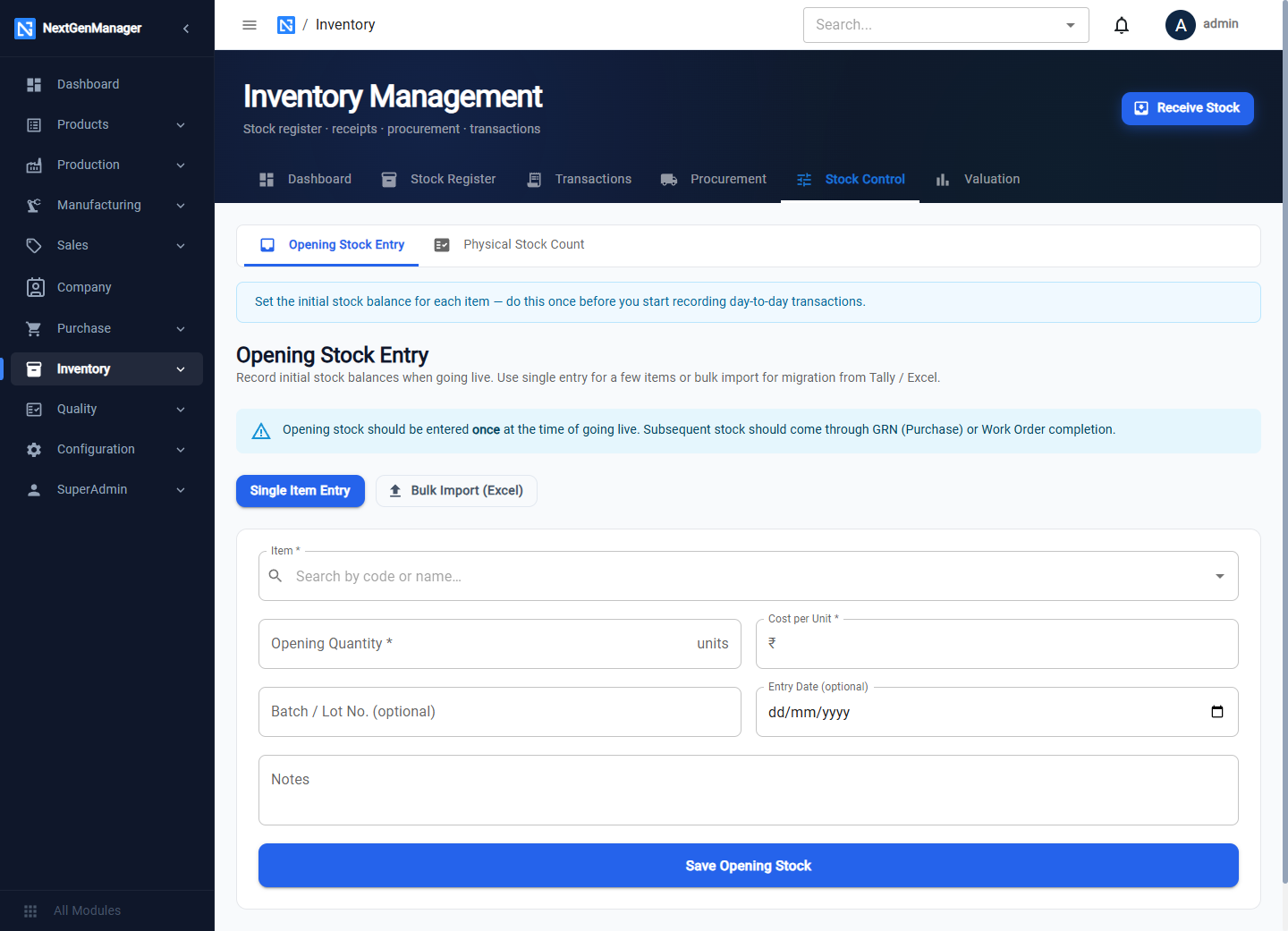
Enter one product at a time
Stay on Single Item Entry.
| Field | Notes |
|---|---|
| Item | Search by code or name |
| Opening Quantity | The quantity on hand |
| Cost per Unit | What each unit is worth. This becomes the stock value |
| Batch / Lot No. | Optional |
| Entry Date | Optional |
| Notes | Optional |
Click Save Opening Stock. The stock is added to the default warehouse.
:::tip Save each product once If a save appears to fail, look at the product in the Stock Register before trying again. The entry may already have been saved, and saving it a second time doubles the quantity. :::
A quantity of zero or less, or a negative cost, is refused. The Entry Date is the date the stock appears in the books, so use your cut-over date. For a batch-tracked product the Batch / Lot No. becomes the batch's supplier reference.
Enter many products from Excel
Click Bulk Import (Excel), download the template, fill in one row per product and upload it.
What it does to the books
Each entry debits the stock account and credits Opening Balance Equity. That is why opening stock is not part of the opening balances Excel file: loading it here is what puts it into the ledger.
The stock movement and its ledger entry carry the Entry Date; if you leave it blank they carry the day you save.
Check the result
- Stock Register tab — quantity available for each product.
- Valuation tab — the value of what you loaded.
- Accounting → Reports → Stock vs GL — the stock value against the ledger balance (see Reports).