Product revisions
Where: a product's Revise button and Revisions tab.
A saved product is locked at its current revision, shown in the header as Rev. A · Locked. Its engineering fields — Dimension, Size, Weight, Material, Fabrication Process, Drawing Number, Unit of Measure and HSN — cannot be edited directly. To change any of them you open a new revision, edit it and release it. The old revision stays on record.
The steps
1. Open a draft revision
Open the product and click Revise. The box explains that this opens a new draft revision (Rev. B) copying the current engineering fields. Enter:
| Field | What to enter |
|---|---|
| Change Reason | Why the product is changing |
| ECO Number | Your engineering change number, for example ECO-2026-0017. Keep it short |
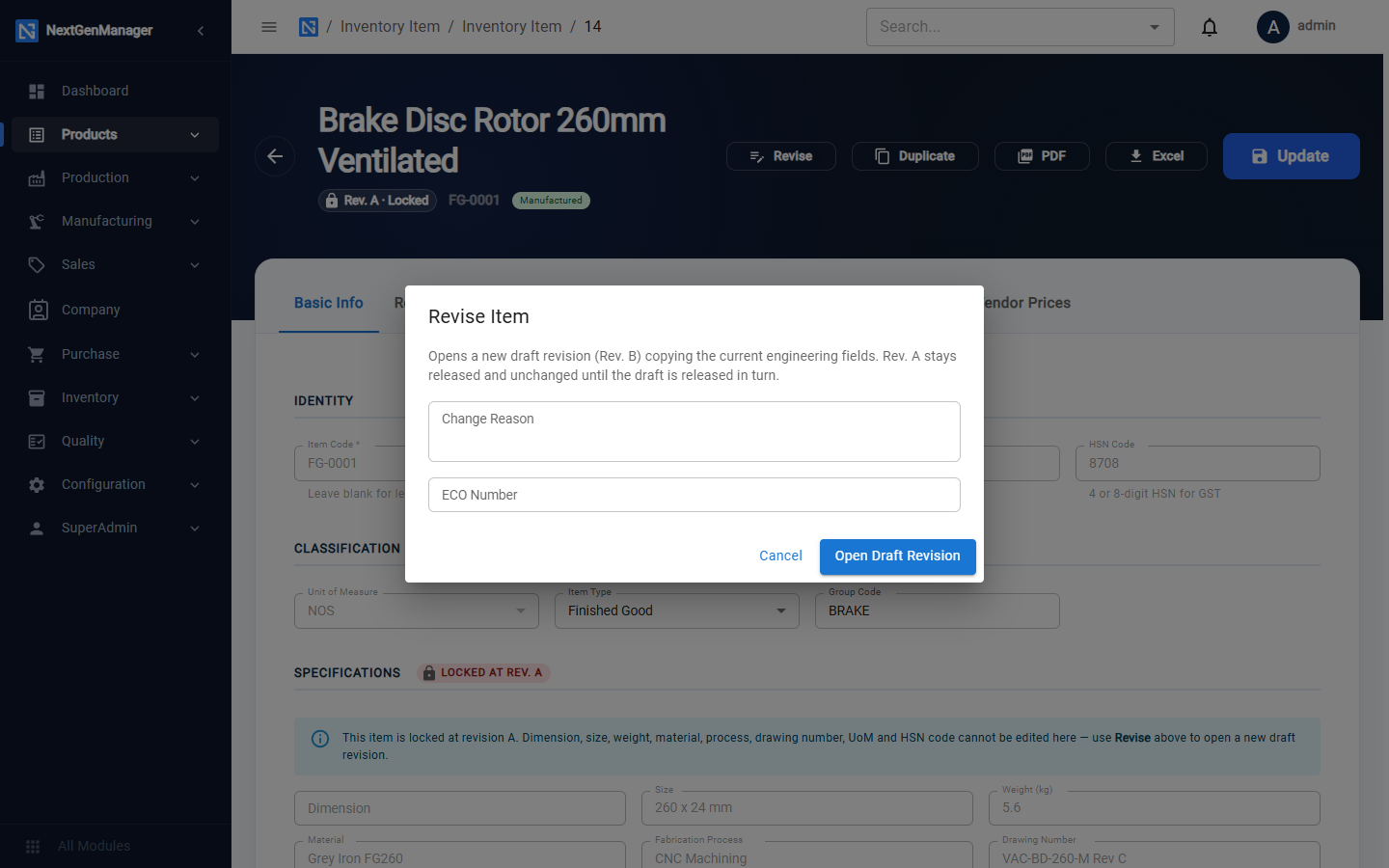
Click Open Draft Revision. The header now shows both Rev. A · Locked and Rev. B — DRAFT.
2. Edit the draft
Click Edit Draft Rev. B. Change the engineering fields, and the reason and ECO number if needed, then click Save Draft.
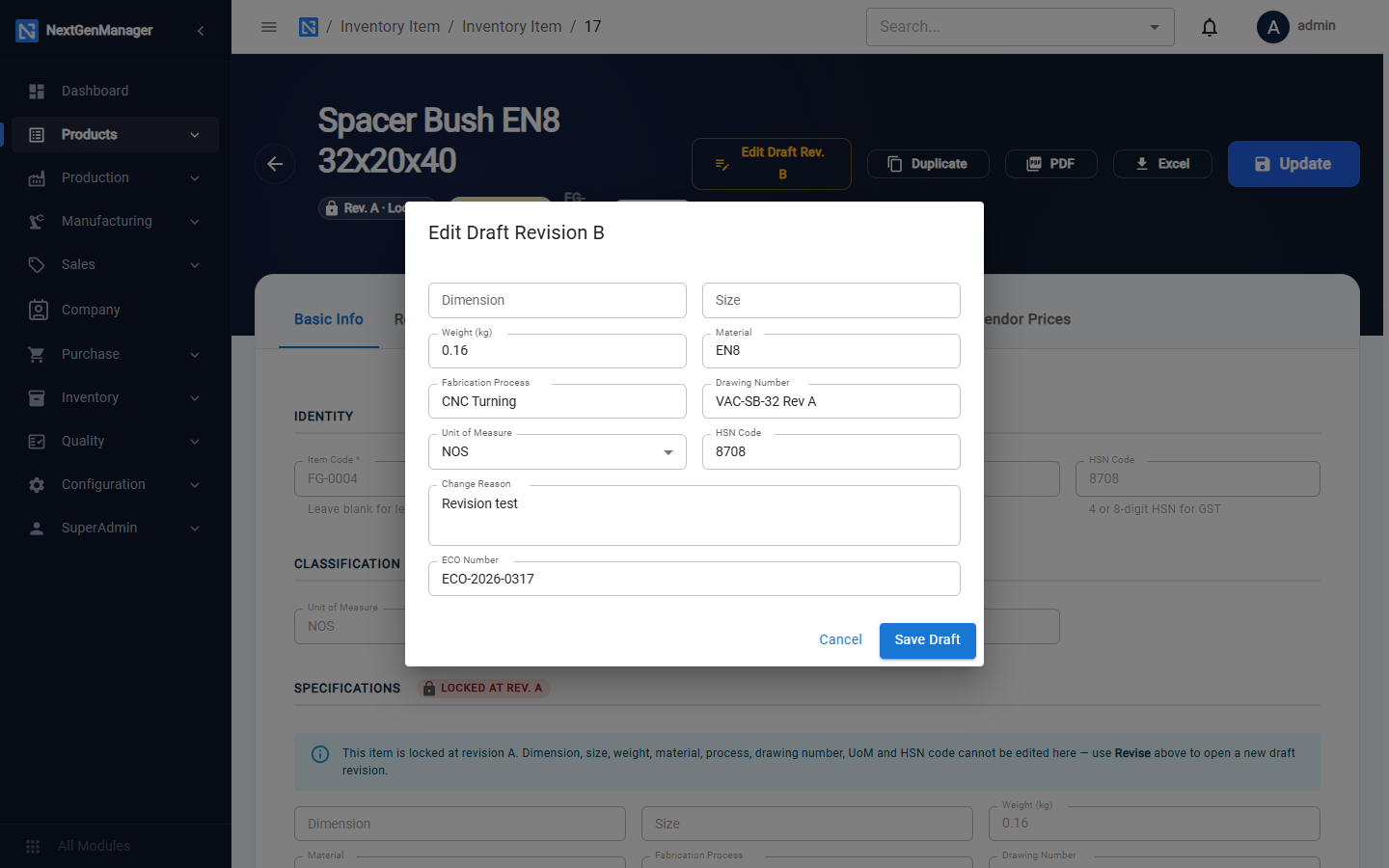
Rev. A remains the released revision while the draft is being worked on.
3. Submit and release
- Open the Revisions tab and click Submit for Approval.
- Click Release Rev. B. The box warns: Releasing freezes Rev. B's engineering fields and supersedes Rev. A. This cannot be undone.
- Choose Interchangeable with prior revision? and add Approval Comments.
- Click Release.
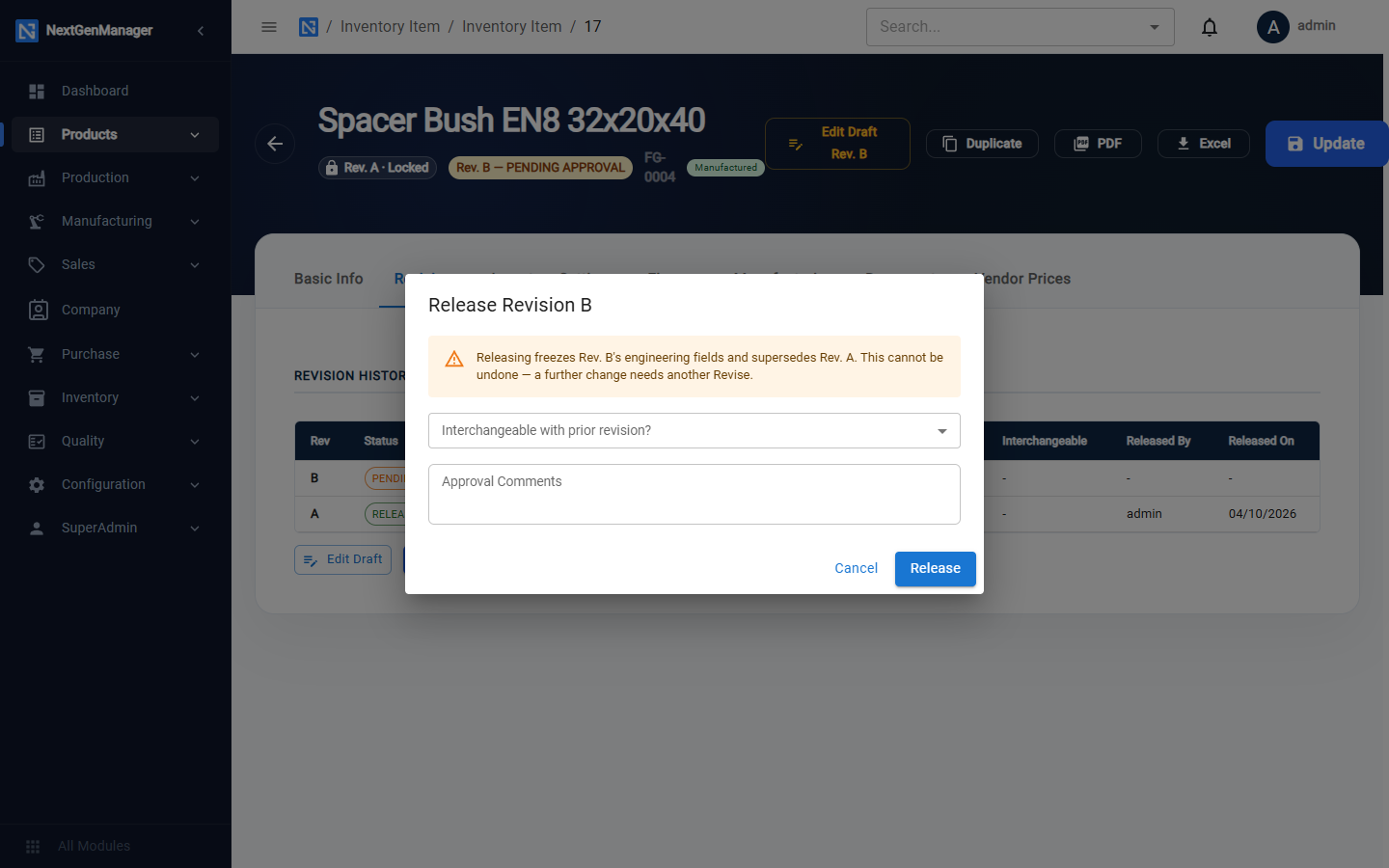
Always answer the interchangeability question. It tells stores and production whether old-revision stock can be used in place of the new one.
Revision history
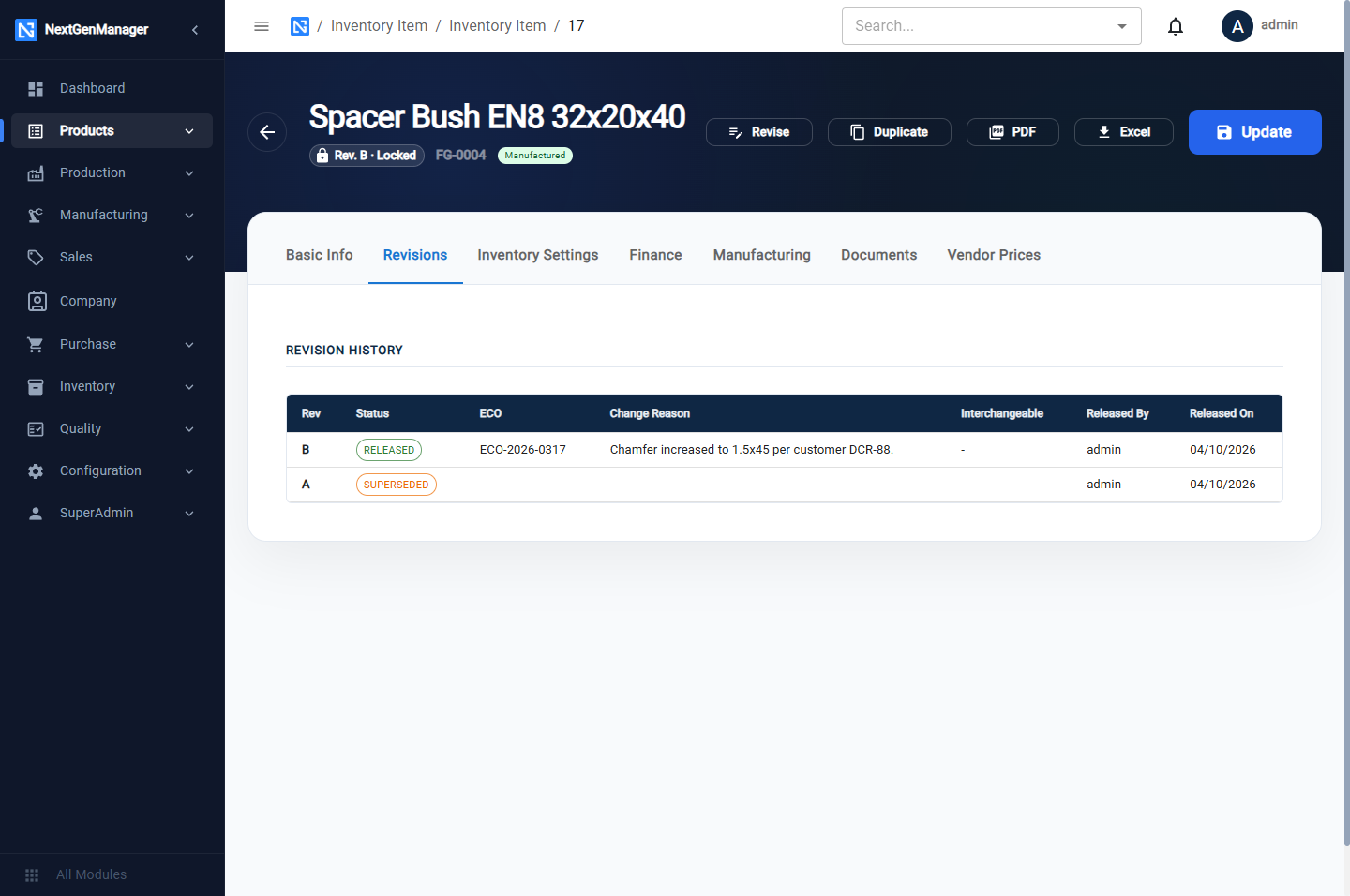
The Revisions tab lists every revision with its status (DRAFT, RELEASED or SUPERSEDED), ECO number, change reason, interchangeability, and who released it and when.