Goods receipt (GRN)
Where: a purchase order's Receive Items tab. The order must be Sent.
A goods receipt note (GRN) records what actually arrived against a purchase order, how much was accepted and how much was rejected. Posting it puts the stock into the warehouse.
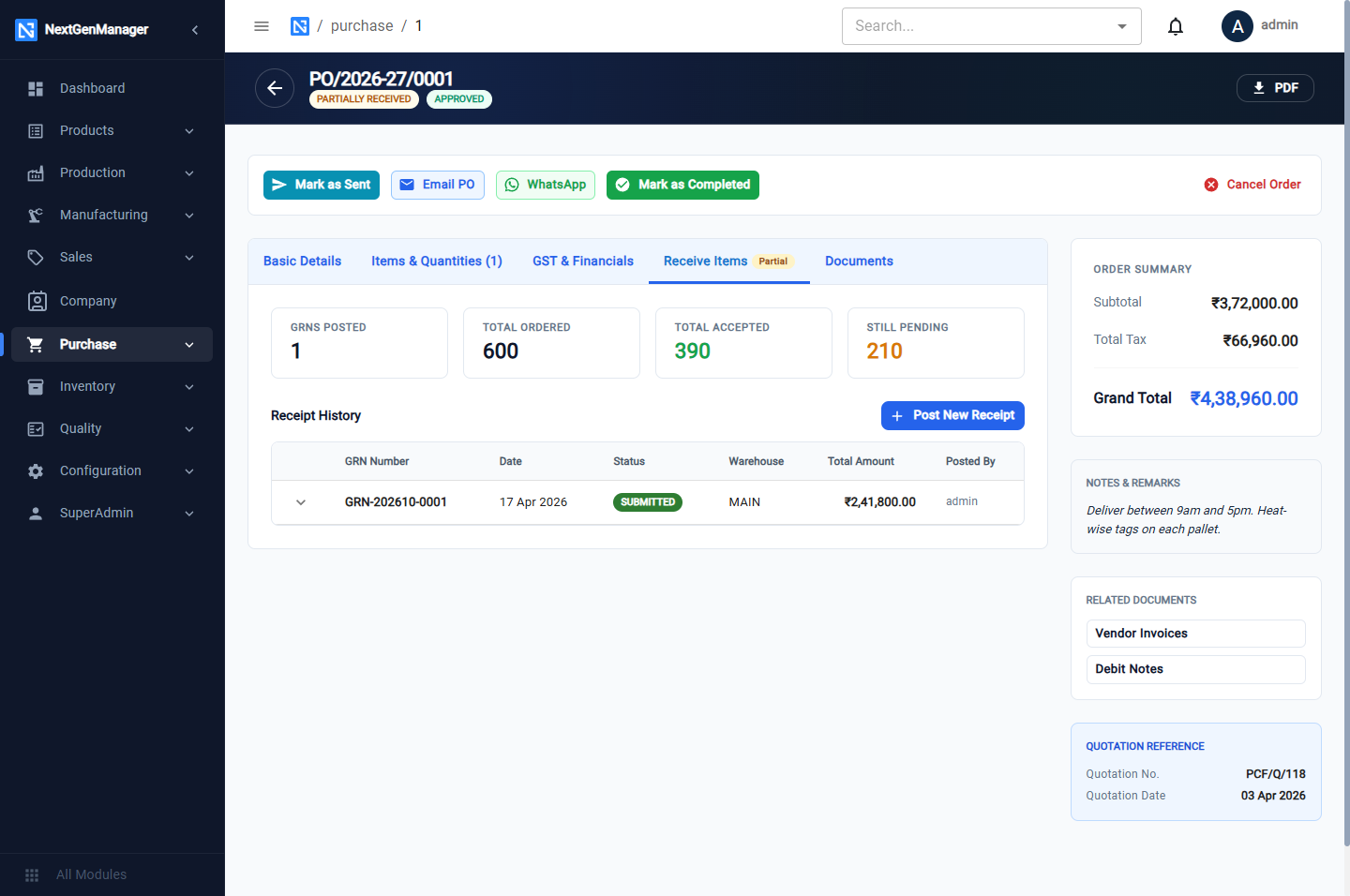
The tiles show GRNs Posted, Total Ordered, Total Accepted and Still Pending. Receipt History lists the receipts already posted.
Post a receipt
-
Click Post New Receipt.
-
Fill in the header:
Field Notes GRN Date The date the goods arrived Warehouse The warehouse code, for example MAIN. Leave it blank to use the default warehouseRemarks For example the vendor's challan number -
For each line enter:
Column Notes Ordered, Recd. So Far, Remaining Shown for reference Receive Now The quantity delivered this time Accepted The quantity that passed incoming inspection Rejected Worked out: Receive Now less Accepted Rejection Reason Why the rest was rejected -
For a batch-tracked product, open Inventory Tracking Details. The system numbers the batch itself, in the form
BTH-RM-0001-YYYYMM-XXXX. You may add the Supplier Batch / Lot No., the Mfg. Date and the Expiry Date for traceability. -
Click Post Receipt to Inventory.
:::tip The Warehouse box takes a code Type the warehouse code exactly as it appears on the Warehouses page, or leave the box empty. A name such as "Main Store" is refused with No warehouse with code Main Store. :::
The form refuses a receipt that does not add up:
- received (700) exceeds remaining (600) — you cannot receive more than is still on order;
- accepted qty cannot exceed received qty.
What a receipt does
- Accepted stock goes into the warehouse you chose.
- Rejected stock goes into the Quarantine warehouse, in its own batch, until it is returned to the vendor with a debit note.
- The GRN is numbered
GRN-YYYYMM-0001. - The purchase order becomes PARTIALLY RECEIVED, or RECEIVED when nothing is left.
- In the books, stock is debited and GR/IR Clearing is credited — goods received, invoice not yet booked. The vendor's invoice clears that account. See What posts where.
:::note The books follow the GRN Date The stock movement and its journal carry the GRN Date you entered, so a receipt of 17 April lands in April and meets the vendor's April invoice. The GRN number still reflects the month in which it was keyed. :::
See the receipts
- On the order: Receive Items → Receipt History.
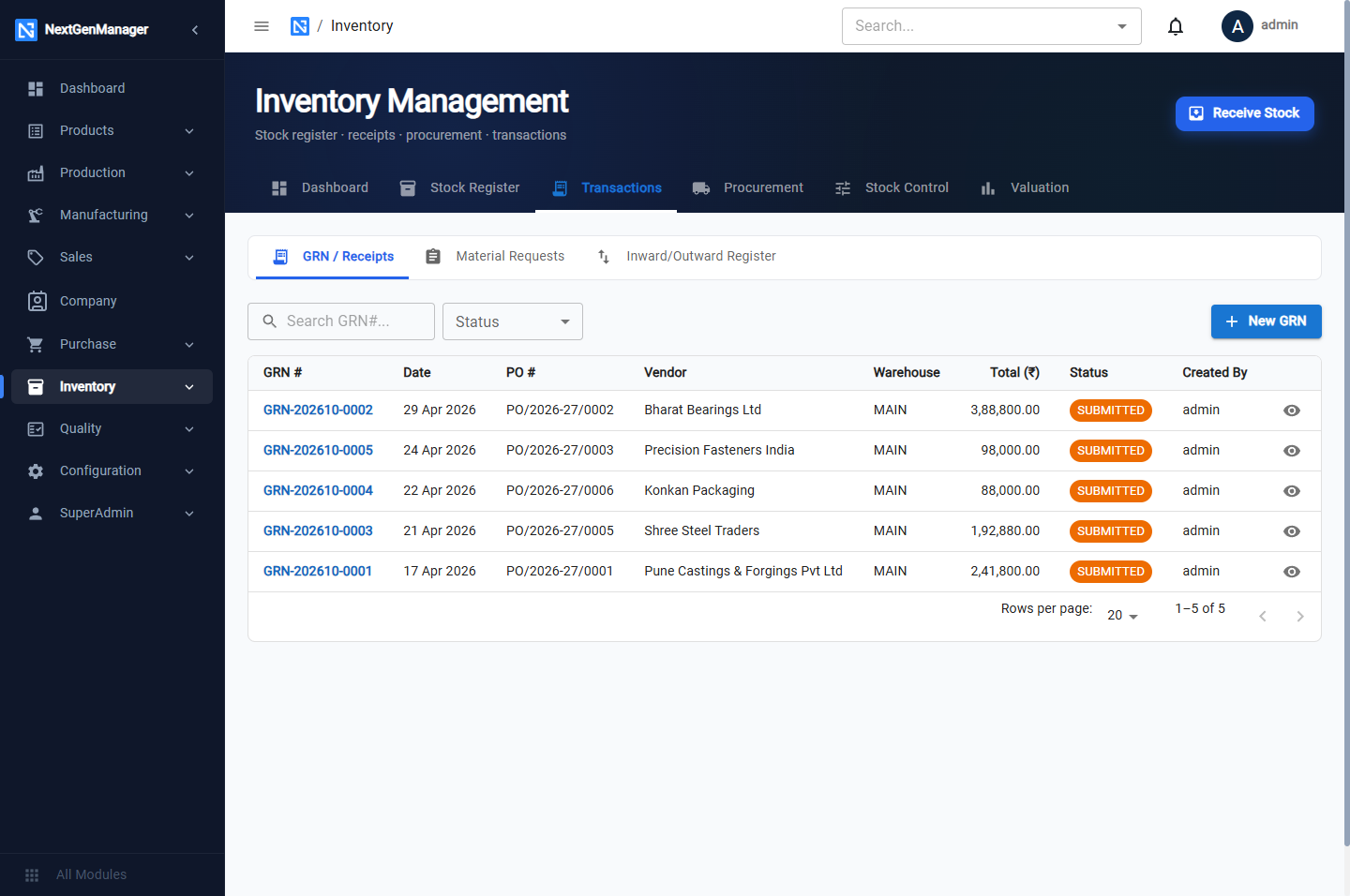
- All receipts: Inventory → Dashboard → Transactions → GRN / Receipts.
- Orders still waiting for goods: Inventory → Dashboard → Procurement → Pending Receipts.