Invoices and credit notes
Raise the tax invoice
Where: open the sales order → Create Invoice.
One invoice is raised for the whole sales order. The Create Invoice button is available when the order is Approved or Fully Dispatched, so if an order is going in several lots, raise the invoice after the last lot has shipped.
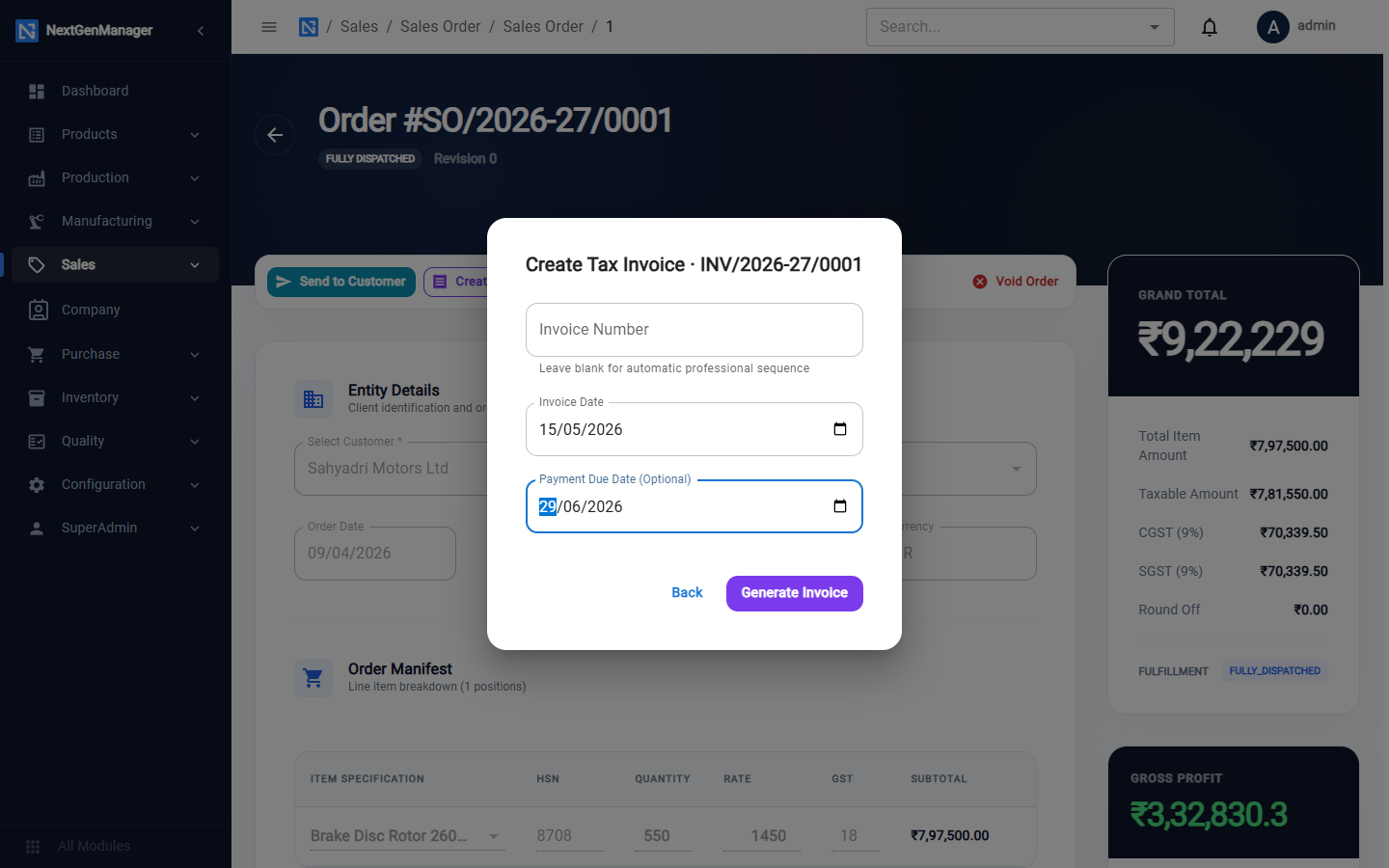
| Field | Notes |
|---|---|
| Invoice Number | Leave blank for the next automatic number, INV/2026-27/0001 |
| Invoice Date | The date of the invoice. It decides the GST period |
| Payment Due Date | Optional |
Click Generate Invoice.
Generating the invoice posts a sales voucher on the invoice date: the customer is debited, and sales and output GST (CGST + SGST, or IGST) are credited. See What posts where.
The invoice page
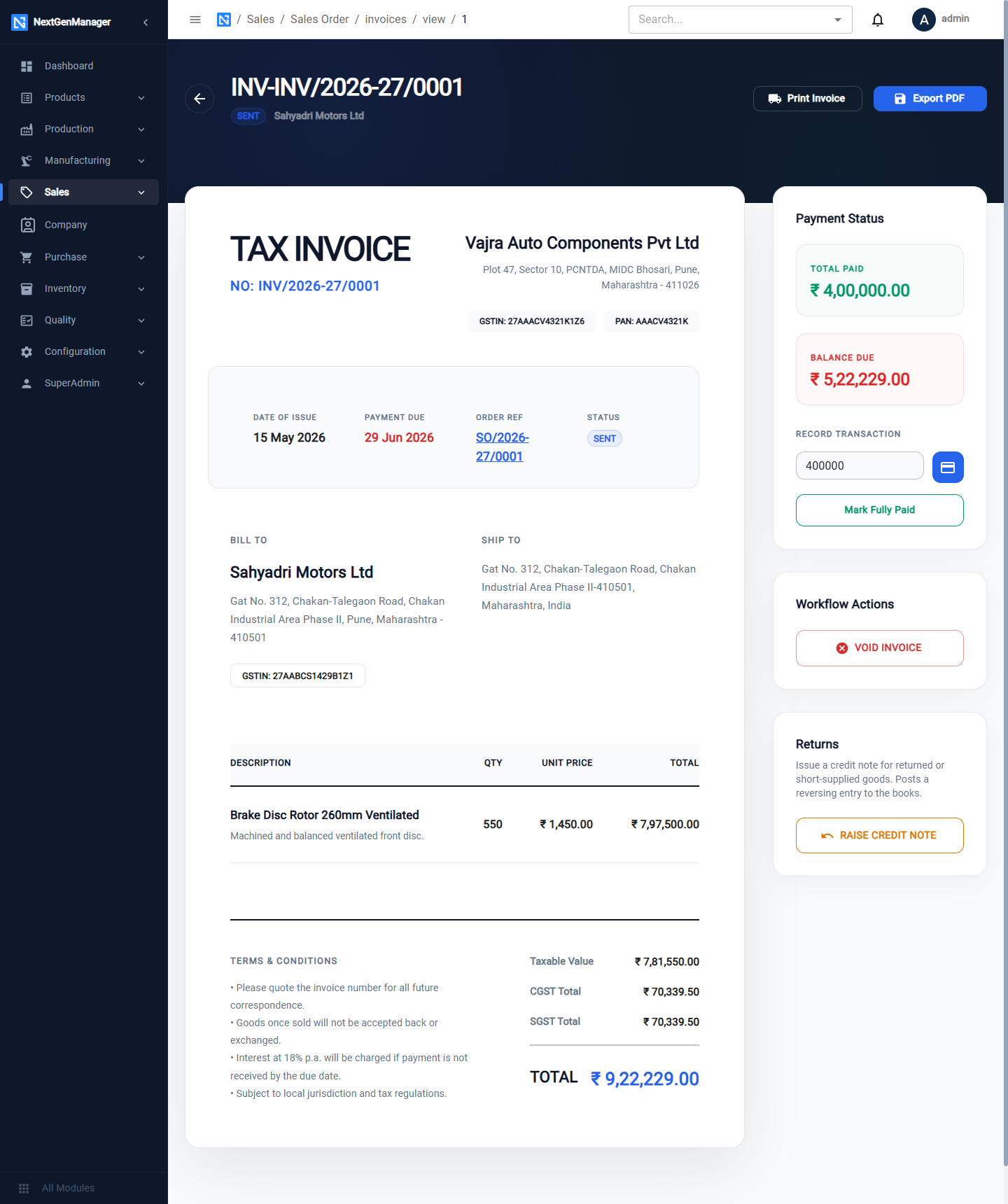
| Button | What it does |
|---|---|
| Print Invoice, Export PDF | Print or download the invoice |
| Finalize & Send | Moves the invoice from DRAFT to SENT |
| Void Invoice | Cancels the invoice |
| Raise Credit Note | For returns and corrections, below |
The Payment Status card shows Total Paid and Balance Due.
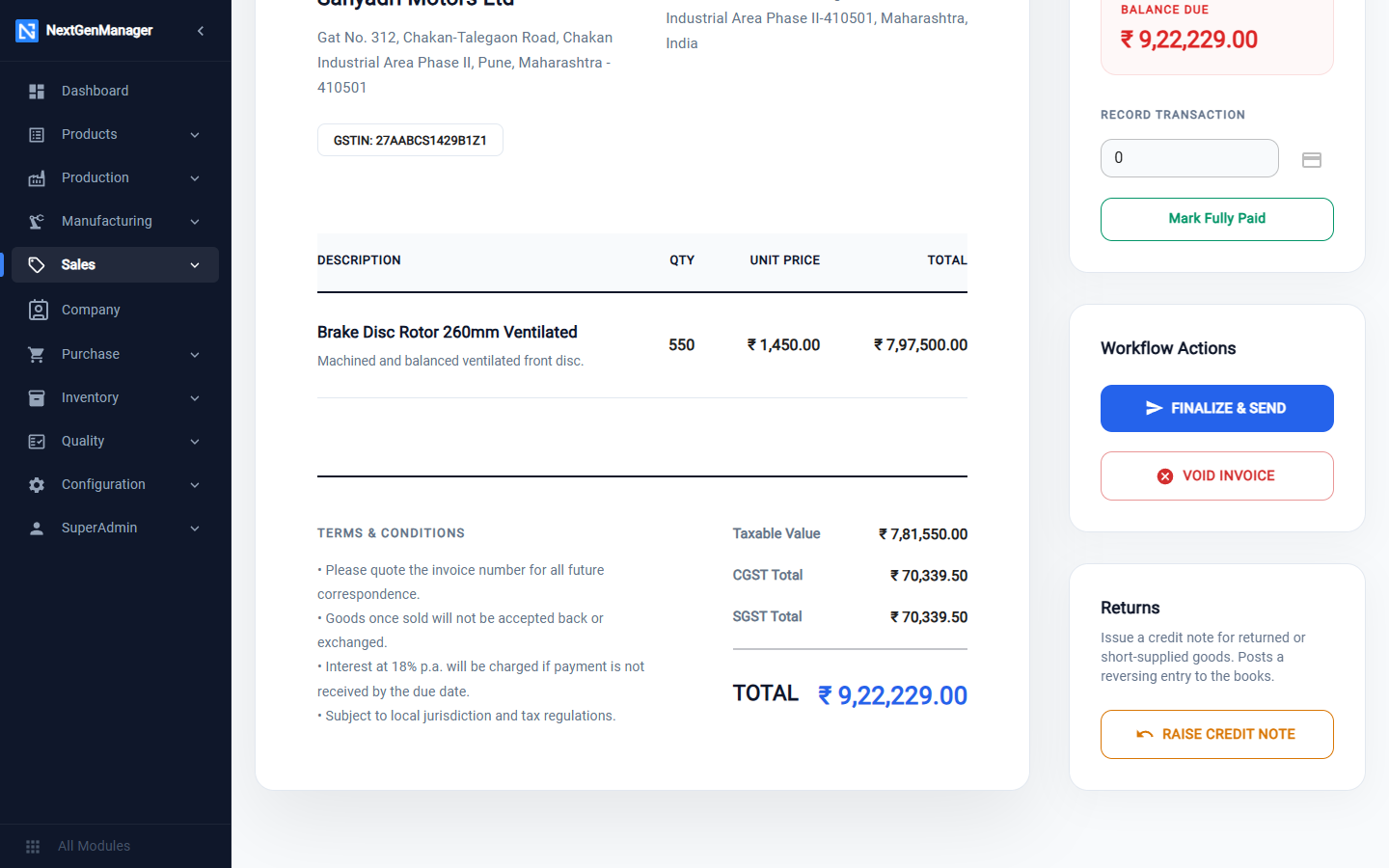
:::tip Recording a payment For an advance, or when you need to enter the date, mode and bank reference, use Record Payment on the sales order (see Sales orders). The amount box and Mark Fully Paid on the invoice page are shortcuts: they post the same receipt voucher, dated today, with the invoice number as its reference. Either way a payment larger than the balance due is refused. :::
The invoice register
Where: Sales → Invoices.
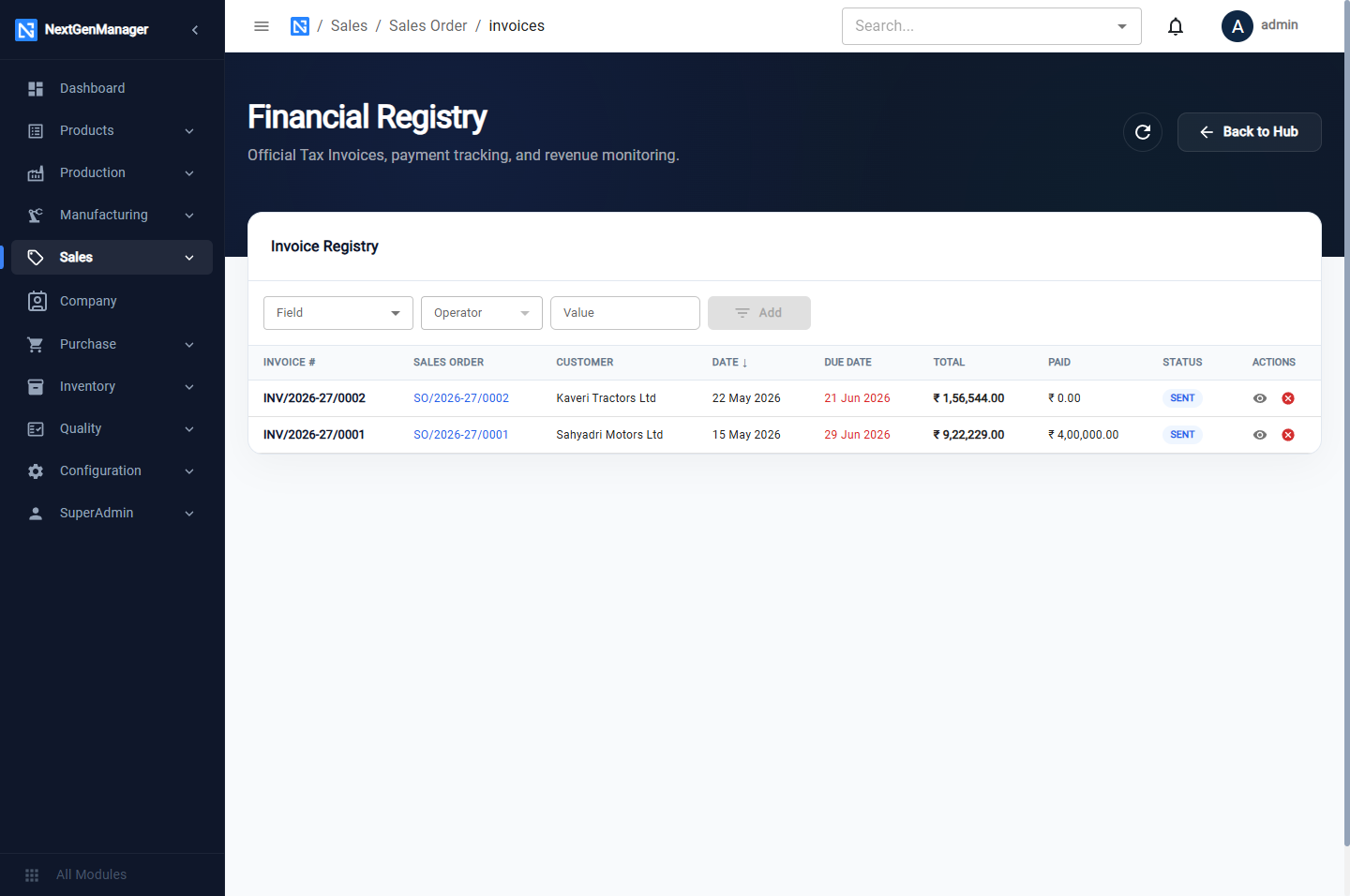
Every invoice with its order, customer, date, due date, total, amount paid and status.
Raise a credit note
Use a credit note when goods come back or an invoice must be reduced.
- Open the invoice and click Raise Credit Note.
- Choose the Reason: DEFECTIVE, SHORT SUPPLY, RATE DIFFERENCE, QUALITY ISSUE or OTHER, and type the Remarks.
- Tick the lines being returned and enter the Return Qty for each.
- Check the Credit Note Total.
- Click Issue Credit Note.
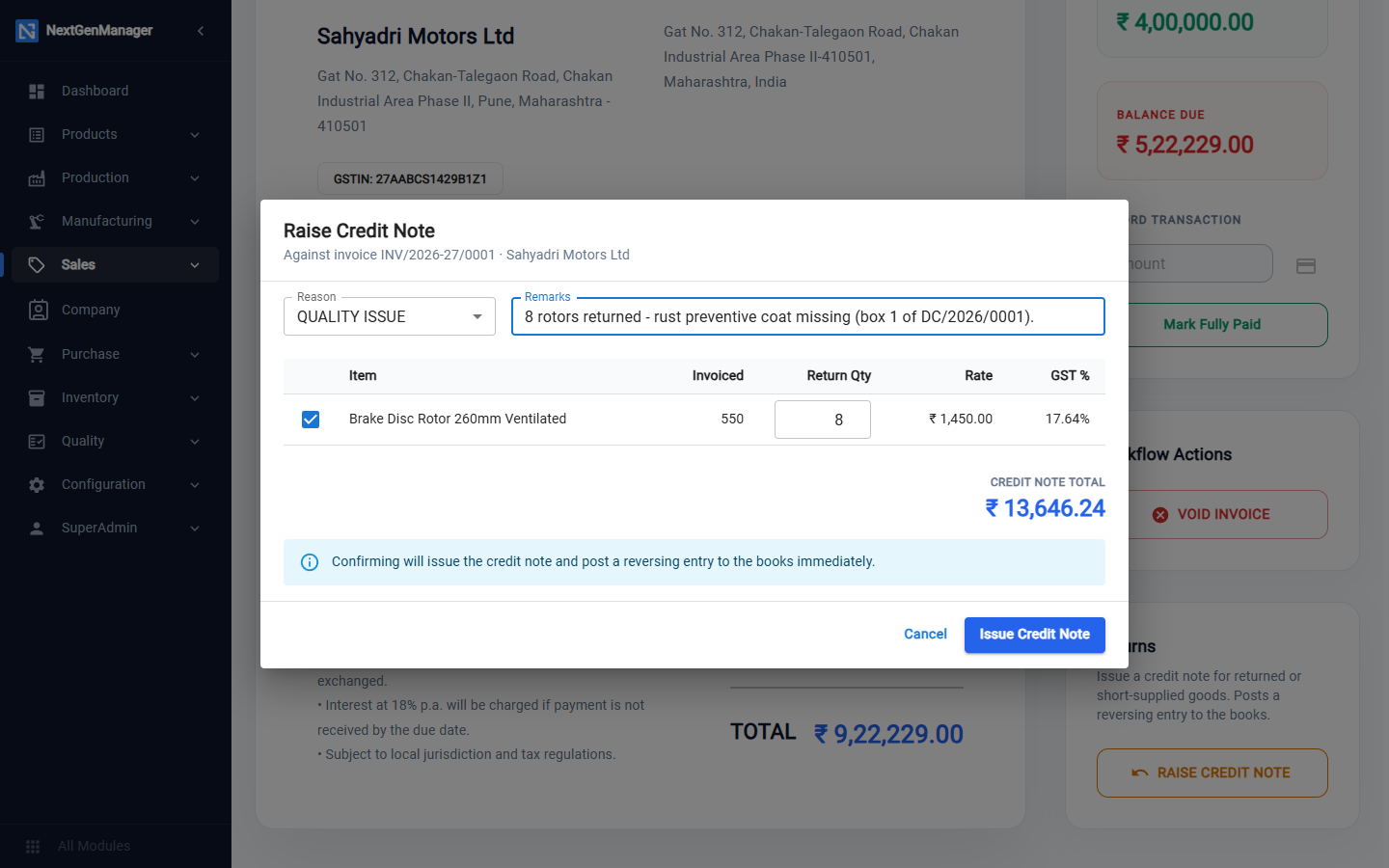
The box warns that confirming will issue the credit note and post a reversing entry to the books
immediately. The credit note is numbered CN/2026-27/0001. It reduces the customer's balance,
reverses the sale and the output GST for the quantity returned, puts the goods back into stock and
reverses their cost of goods sold.
The return is valued at the rate actually charged — the list price less the order discount — with the GST rate of the line, so the Credit Note Total matches what the customer paid for those pieces.
Credit notes appear in GSTR-1 under Credit Notes. See GST.